Navigation
With Ghost you can add, edit and reorder navigation items. This guide will show you how to create and manage navigation items in your Ghost site.
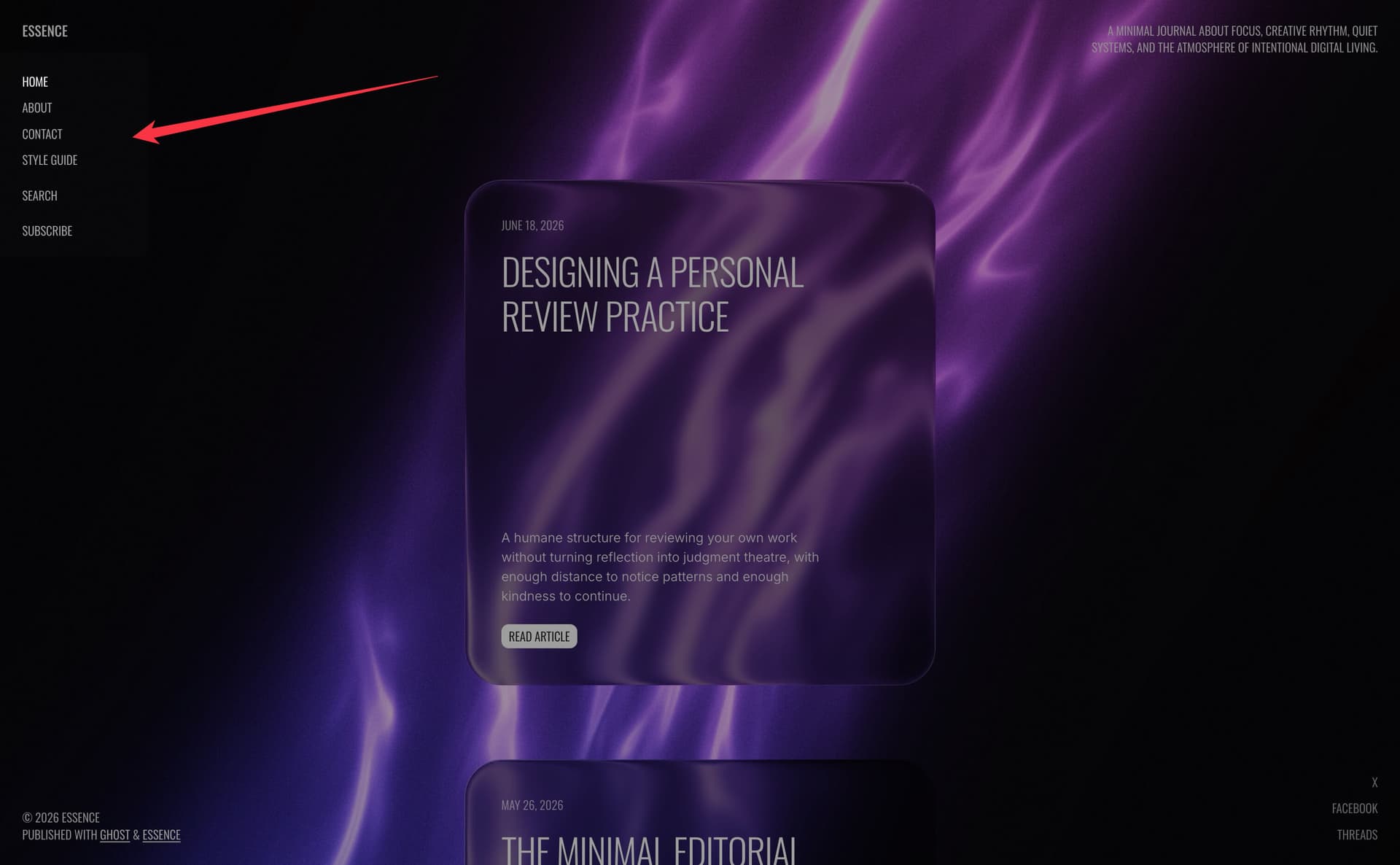
Essence uses a fixed left sidebar for navigation on desktop. On mobile, navigation moves into a popup menu opened from the burger button.
Essence supports Primary and Secondary navigation:
- Primary navigation is displayed in the fixed left sidebar (desktop) and in the mobile popup
- Secondary navigation is displayed in the mobile popup below primary items
Manage navigation items
To manage navigation items, follow these steps:
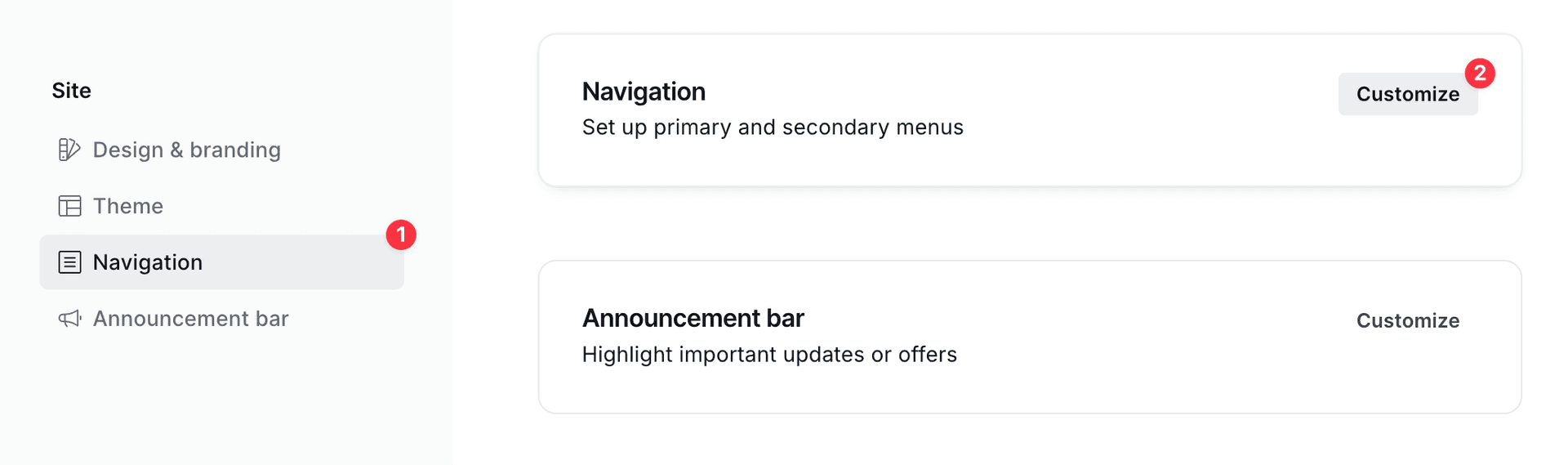
- Go to Settings → Site → Navigation
- Click Customize
Separators
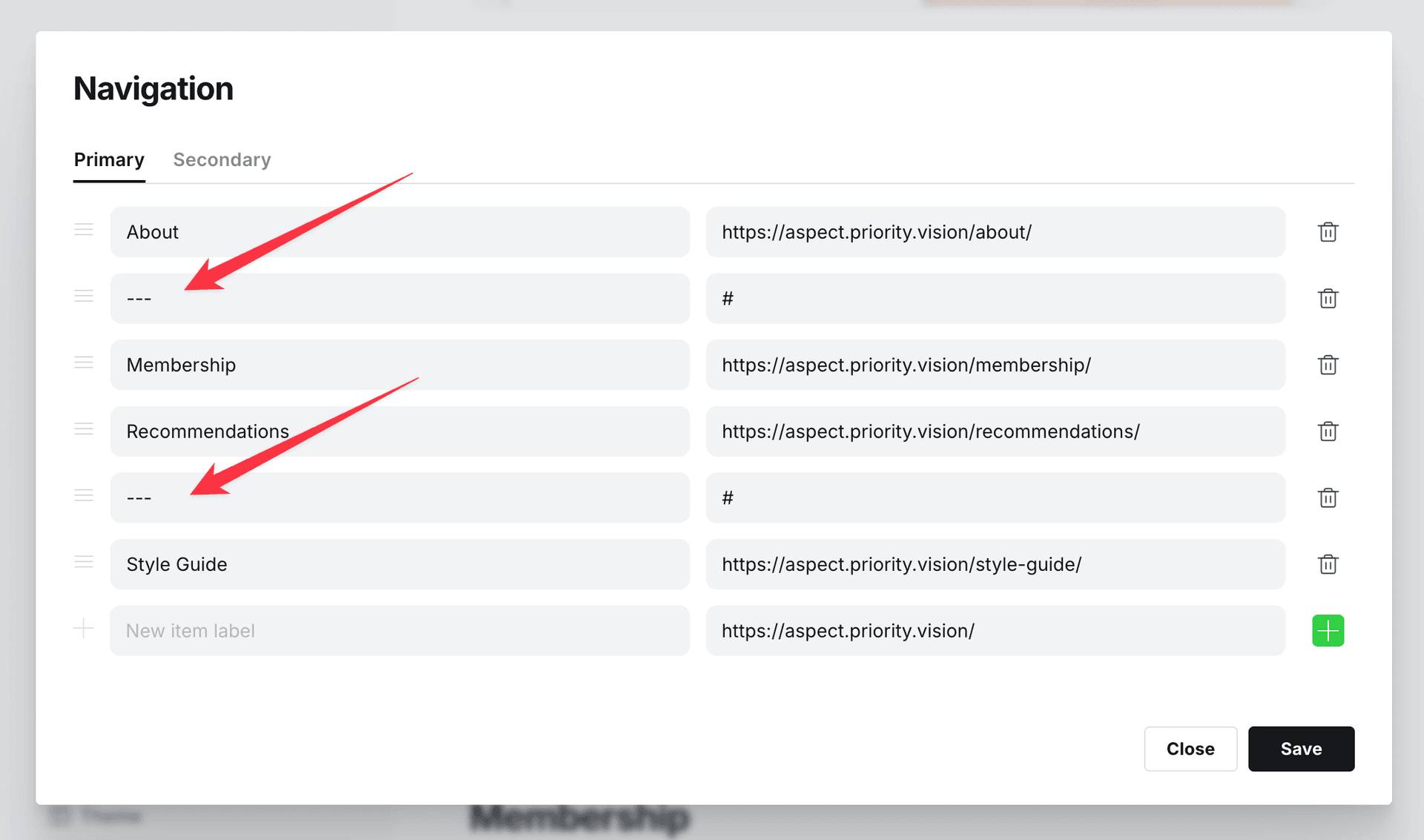
Essence allows you to add spacing between navigation items. Create a new item with label --- — it renders as a visual gap rather than a line divider.